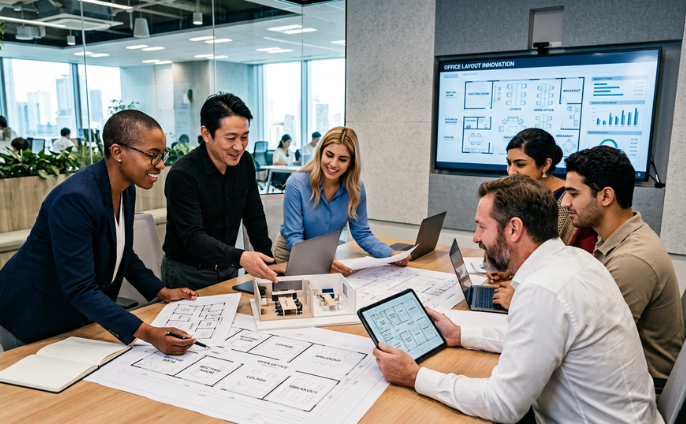
Reform your working style with single device which can help you achieve smarter meetings
Write comments directly on the screen, operate or leave comments on the board with a smartphone, and conduct Web conferencing or screen sharing with remotely-located participants. Easily save your meeting contents using QR codes and other means. This one device will change your meetings greatly.
 Hong Kong
Hong Kong
Hong Kong
Business Support Tools Interactive Whiteboard
A high-functionality interactive whiteboard for smarter meetings

Same usability as traditional whiteboards,
with functionality to greatly improve the working efficiency.
Interactive Whiteboard
Reform your working style with single device which can help you achieve smarter meetings

Advantages of the Interactive Whiteboard
1. Project PC or smartphone screens. Comfortable and easy to use.
No more wasting time on switching cables to get a projection working. Interactive Whiteboard can display even smartphone screens, allowing meeting participants to easily share their ideas with everyone present.
You can even share screen views with remote participants and remotely write comments on-screen. Comes equipped with a high-quality microphone, high-resolution camera and high-quality speakers, enabling your meetings to proceed smoothly.

2. Stress-free on-screen writing through finger touch or pen
Easily erase letters, zoom in and out, or pan using your fingers. Interactive Whiteboard recreates extremely closely the smooth feel of writing on a traditional whiteboard.
On-screen writing allows you to add comments to the pages of PowerPoint presentations and other documents.

3. Use QR codes to share images of meeting contents easily
With Interactive Whiteboard, there is no need to take notes or photos during your meetings.
Use QR codes to share saved notes and meeting documents, either through storing to the cloud or forwarding through email, allowing participants to focus on the contents of your meetings while they're happening.

| * | Functions and specification may be varied on brands and models. |
What is the best solution for your problem?
Please consult a KDDI consultant.
Related Case Studies
Mitsubishi Corporation India Private Limited

Improved convenience through consolidation onto a single floor. End-to-end support for Japanese-style design planning, environmental measures, and post-relocation service.
TAKENAKA CIVIL ENGINEERING & CONSTRUCTION CO., LTD.
End-to-end office relocation support aligned with group security policies, from interior design to IT infrastructure
Marubeni India Private Limited
Leave it all to KDDI—from office interiors to IT infrastructure buildout!
A one-stop solution powered by Japanese-quality proposal capabilities and progress management